
Features
Budget App is one app for planning and tracking your money: your budget, bills, paydays, accounts, debts and savings, in plain words. Every feature below is included in the one-time price, and you can try them all free for 14 days.
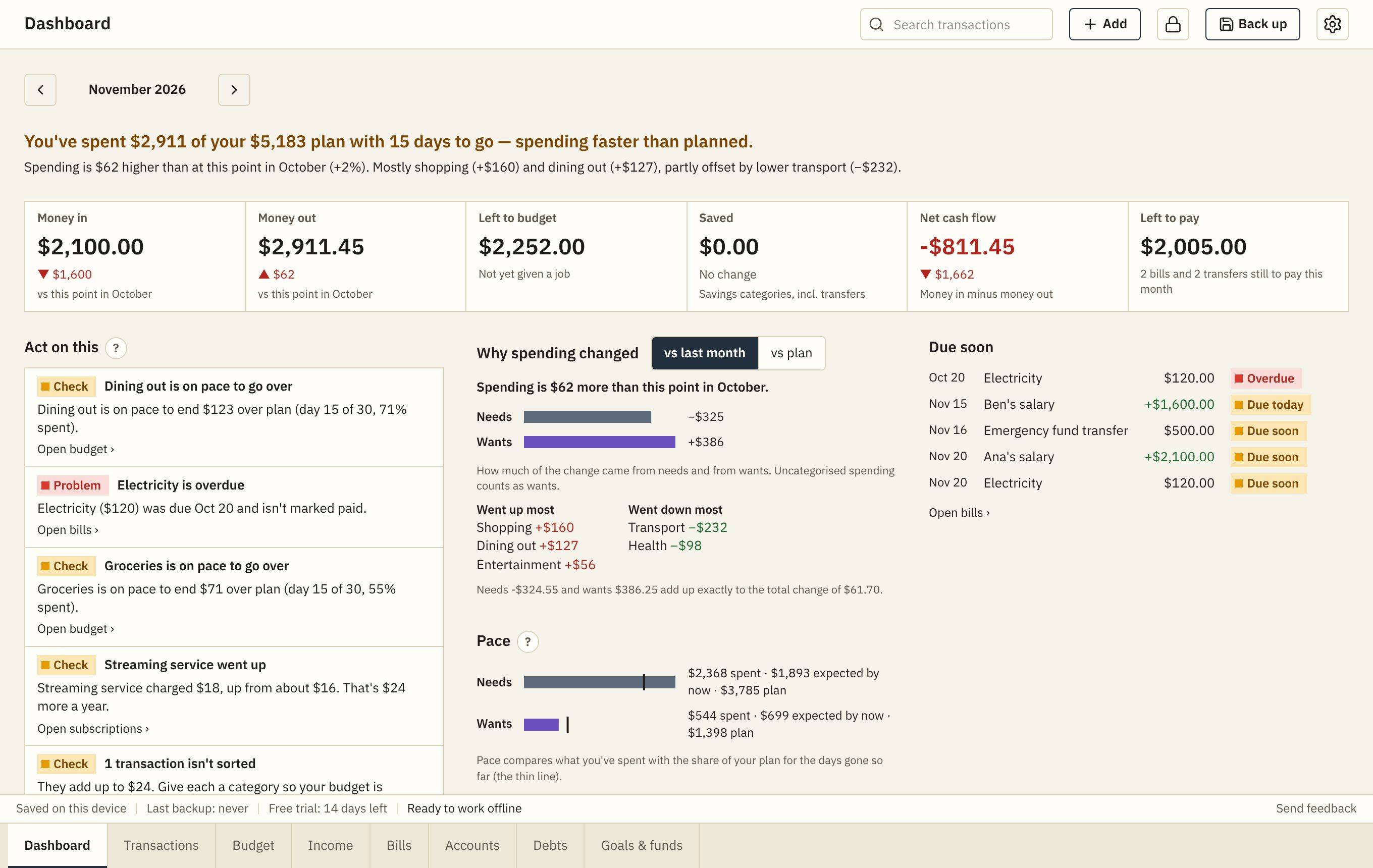
A dashboard that explains itself
Each month opens with one plain sentence: are you on track, and why. Then what needs your attention, the bills due soon, and how your spending compares with last month and with your plan.
- Money in, money out, left to budget and left to pay, at a glance
- "Act on this": overspending, overdue bills and goals falling behind, biggest first
- Account balances over time and where the money went
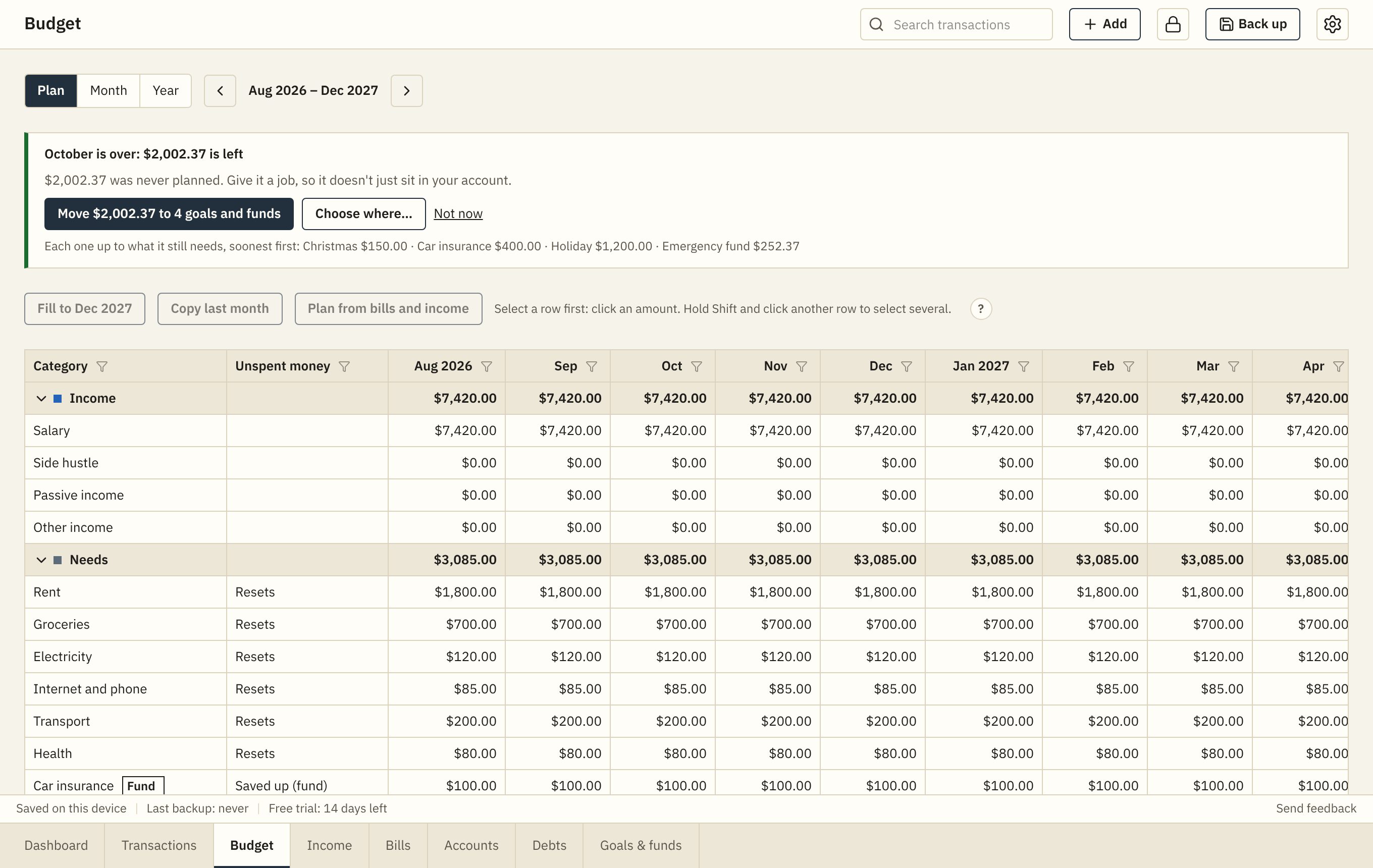
A budget like a spreadsheet, without the formulas
Plan every category for every month on one sheet. Type in a cell or paste from Excel or Google Sheets, and see what's left to budget. Month and Year views compare your plan with what really happened.
- Zero-based, 50/30/20 or simple budgets
- Unspent money can roll over to next month
- A 50/30/20 check of how your income was really used
- When a month ends, move what wasn't spent to your goals and funds
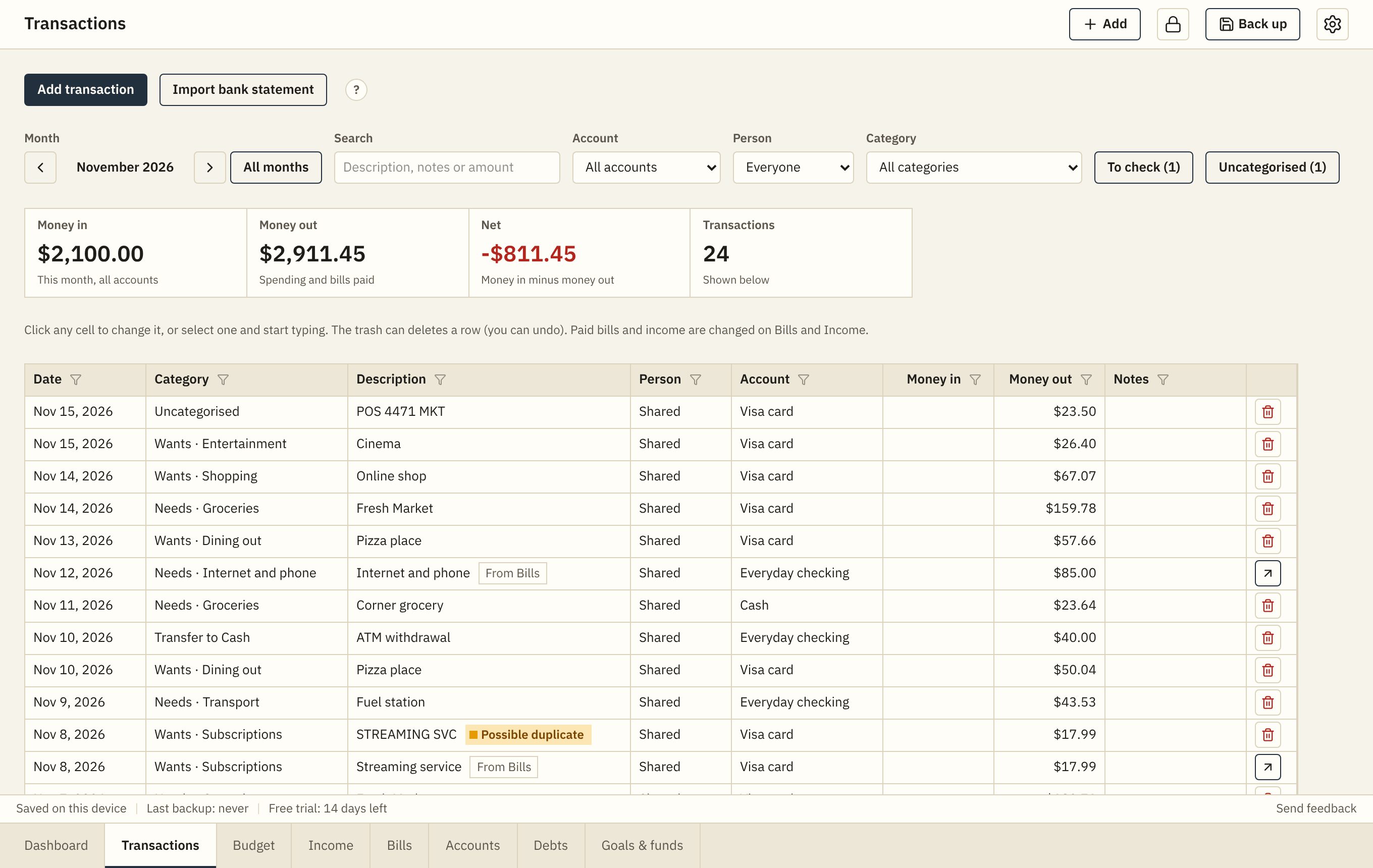
Every transaction, or a whole bank statement at once
Add spending as it happens, or import the CSV file from your bank. Each row gets a suggested category, cash withdrawals become transfers, and anything already counted is left out.
- Search and filter by month, account, person or category
- Refunds and transfers handled correctly
- Possible duplicates flagged for you to check
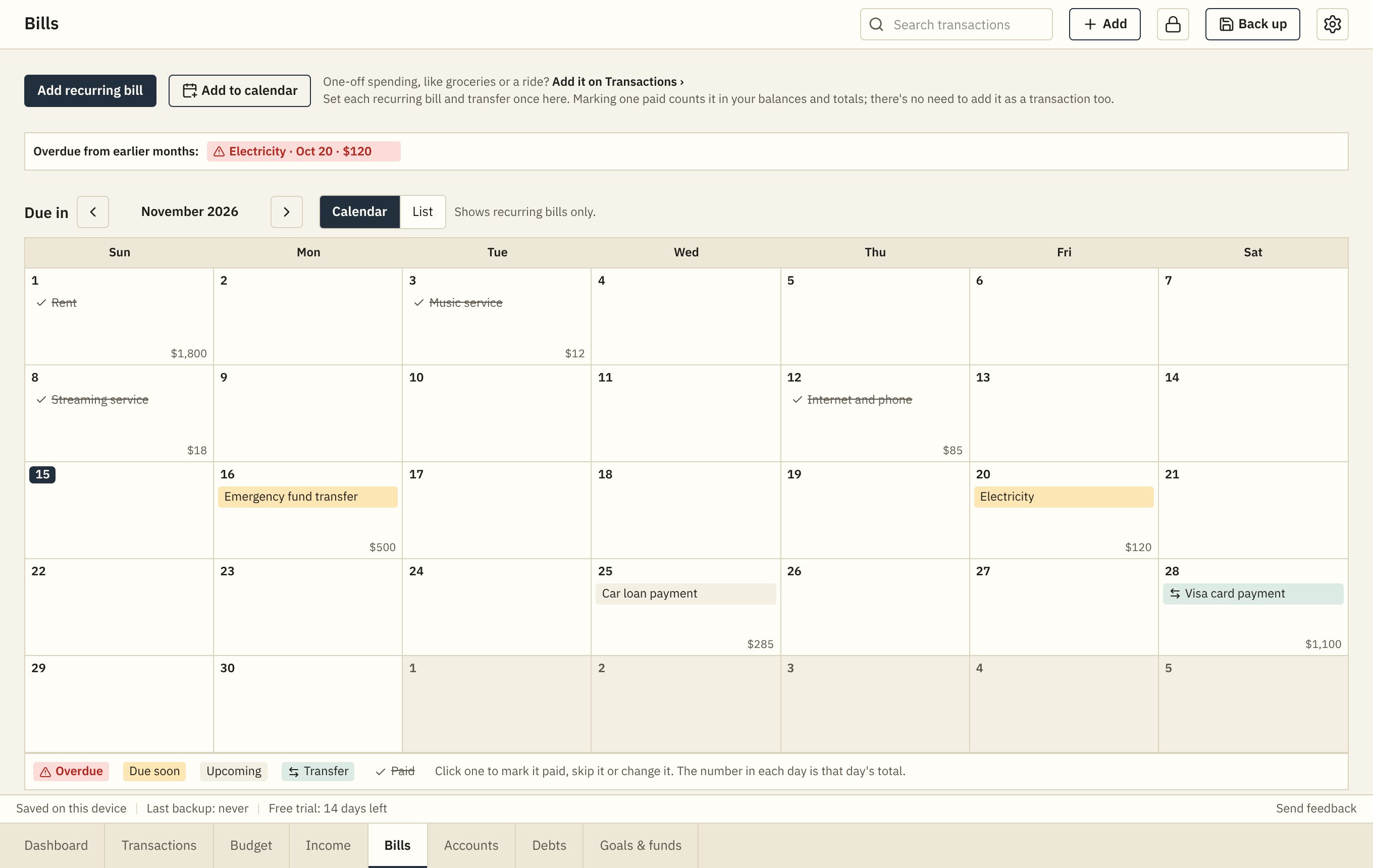
Bills on a calendar, and in yours
Set each recurring bill once. See the month as a calendar, mark bills paid with one click, and see what is overdue, due soon and still to pay.
- Monthly, twice a month, yearly or any schedule
- Add to calendar: bills and paydays for 12 months in Google, Apple or Outlook Calendar, with reminders
- Pop-up reminders while the app is open
- Subscriptions: what each one costs you a year, and price rises
- Sinking funds for yearly bills, so they never catch you out
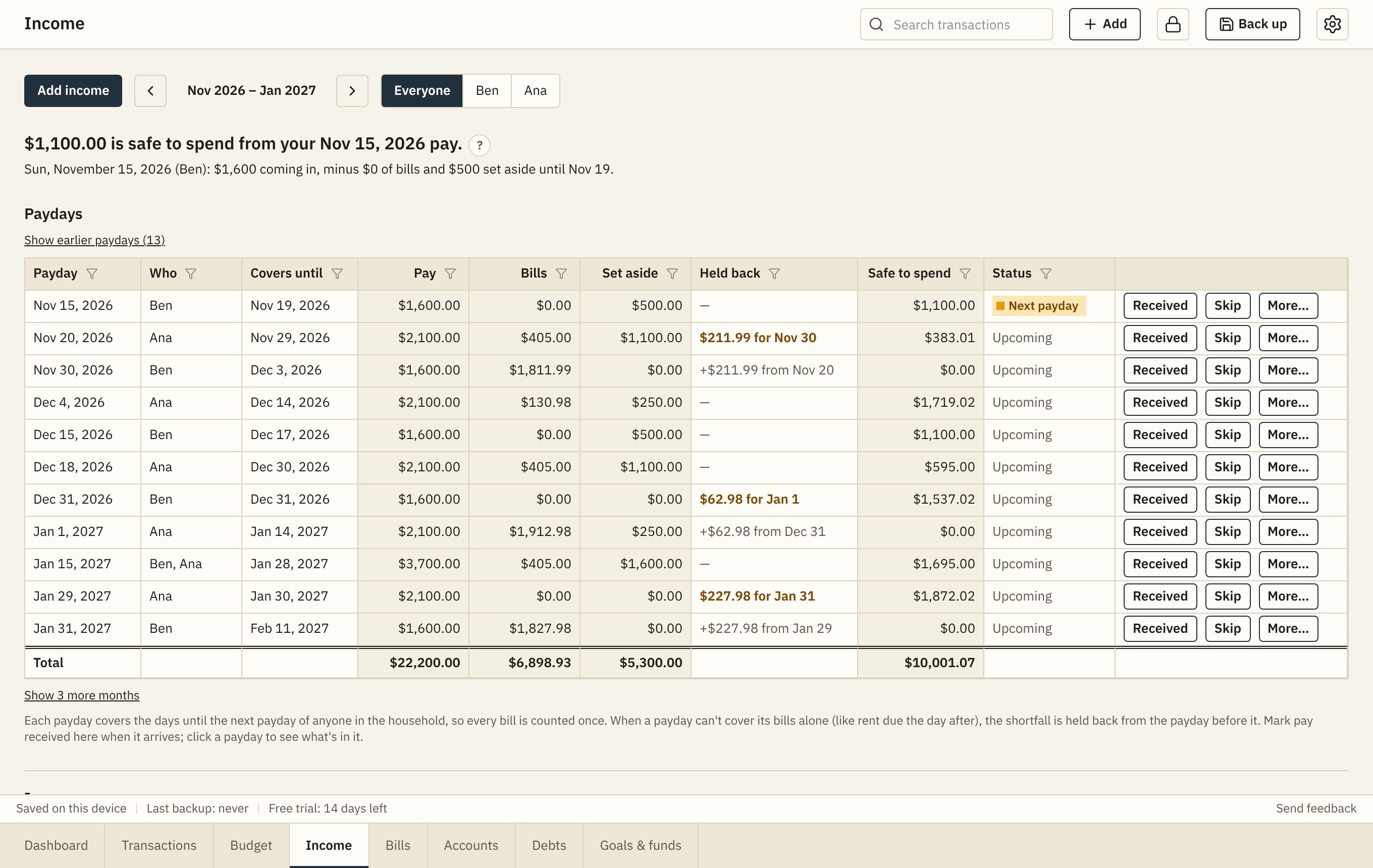
Every payday covered
See what each payday has to cover until the next one, and what's safe to spend. When a big bill comes right after a payday, the app holds back part of the payday before it.
- One earner or a whole household paid on different days
- Weekly, every 2 weeks, twice a month or monthly pay
- Side hustles and passive income too
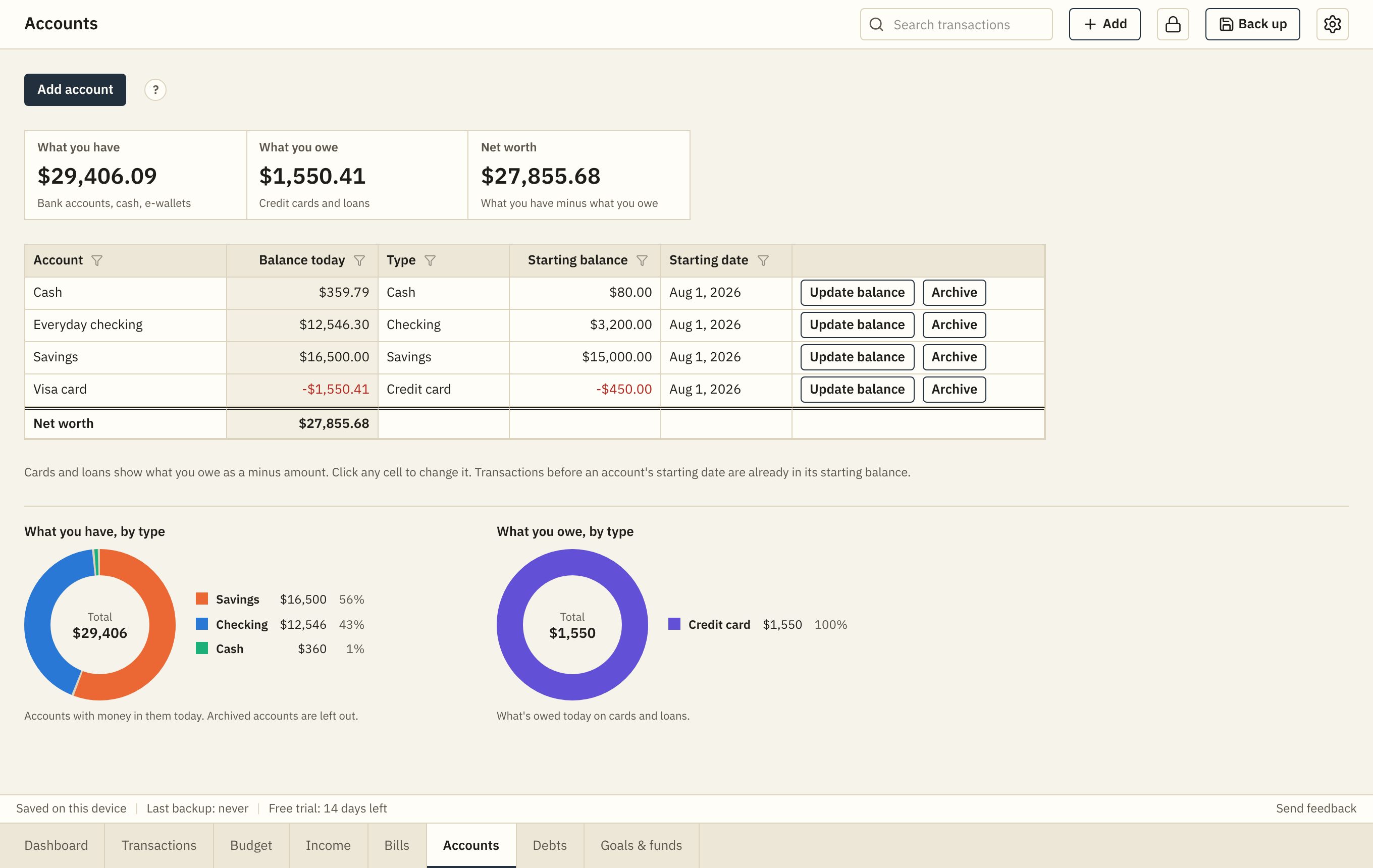
All your accounts in one place
Bank accounts, cash, e-wallets, credit cards and loans, with today's balance, what you have, what you owe and your net worth.
- Update a balance to match your bank in one step
- Credit cards and loans can be tracked on Debts too
- Archive old accounts and keep their history
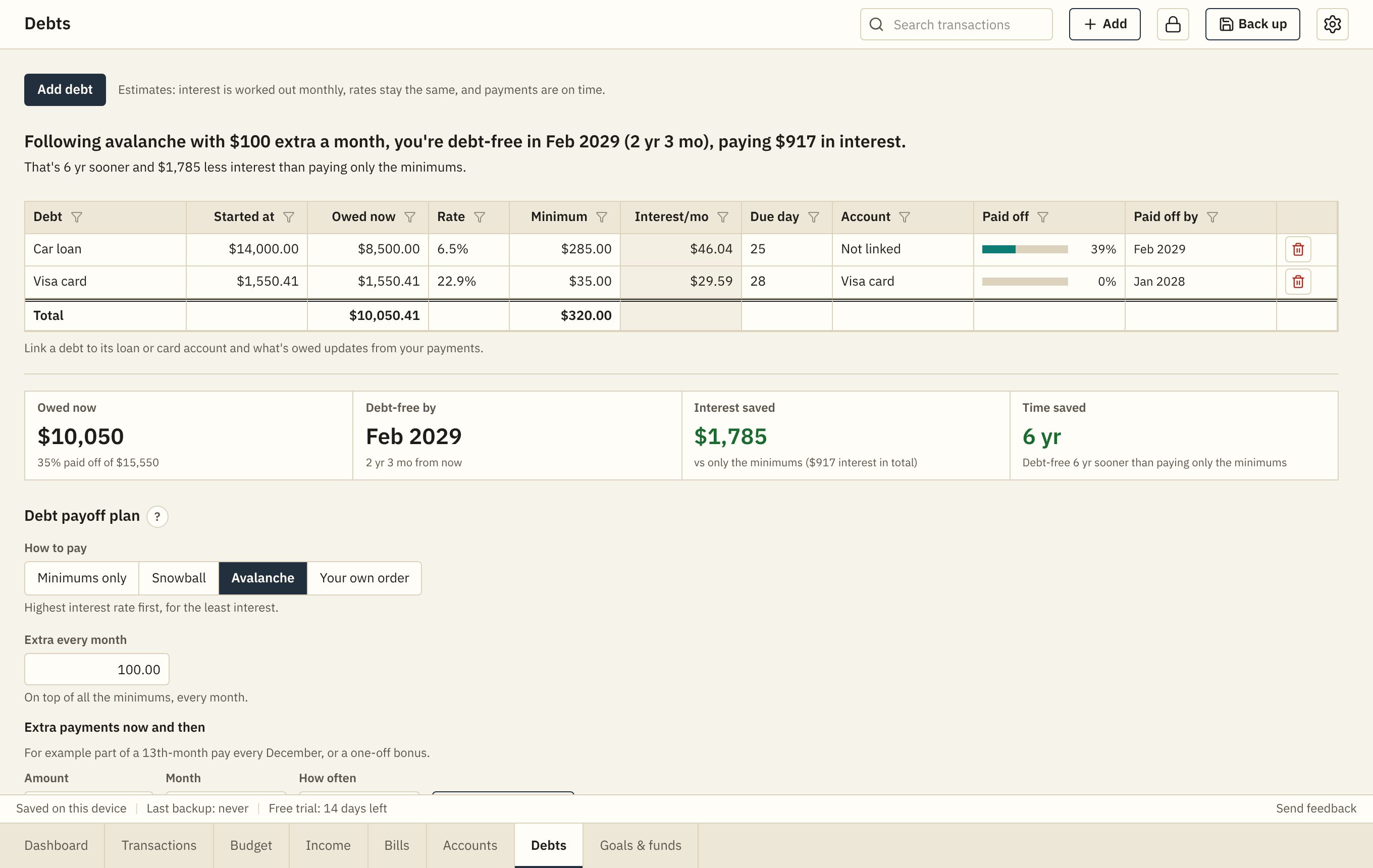
Get out of debt sooner
Compare snowball, avalanche and your own order. See your debt-free date, the interest you save, and a month-by-month plan, including one-off payments like a 13th-month bonus.
- Debt-free date and total interest for each approach
- What-if: pay more each month
- Progress for each debt
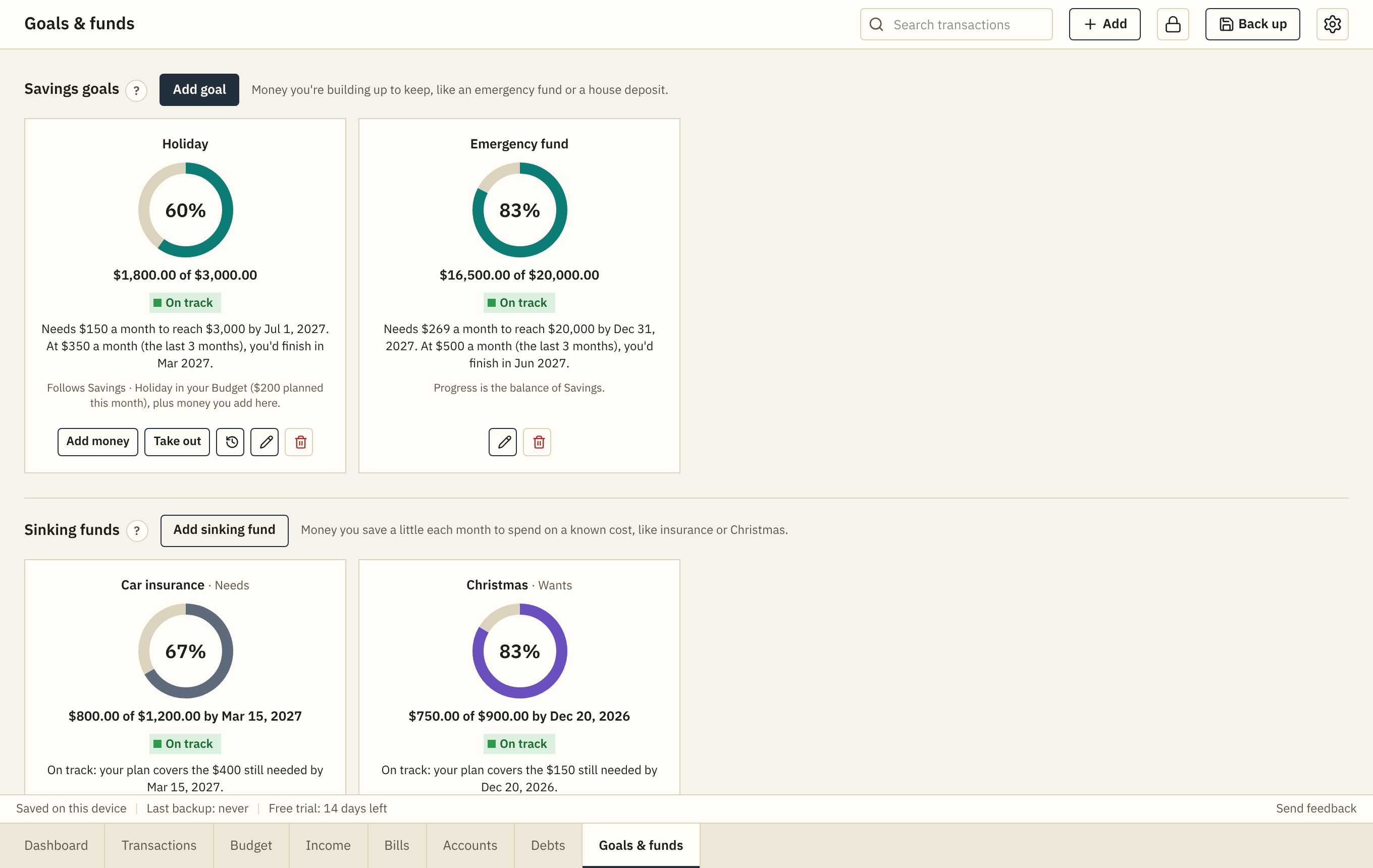
Savings goals and sinking funds
Save for an emergency fund or a holiday, and set money aside each month for costs you know are coming. Goals can follow your budget, your own account, or money you add by hand.
- How much to save each month to get there on time
- On track or behind, with a projected finish date
- Reached goals fold away, and come back if you dip below the target
Backups, export and privacy
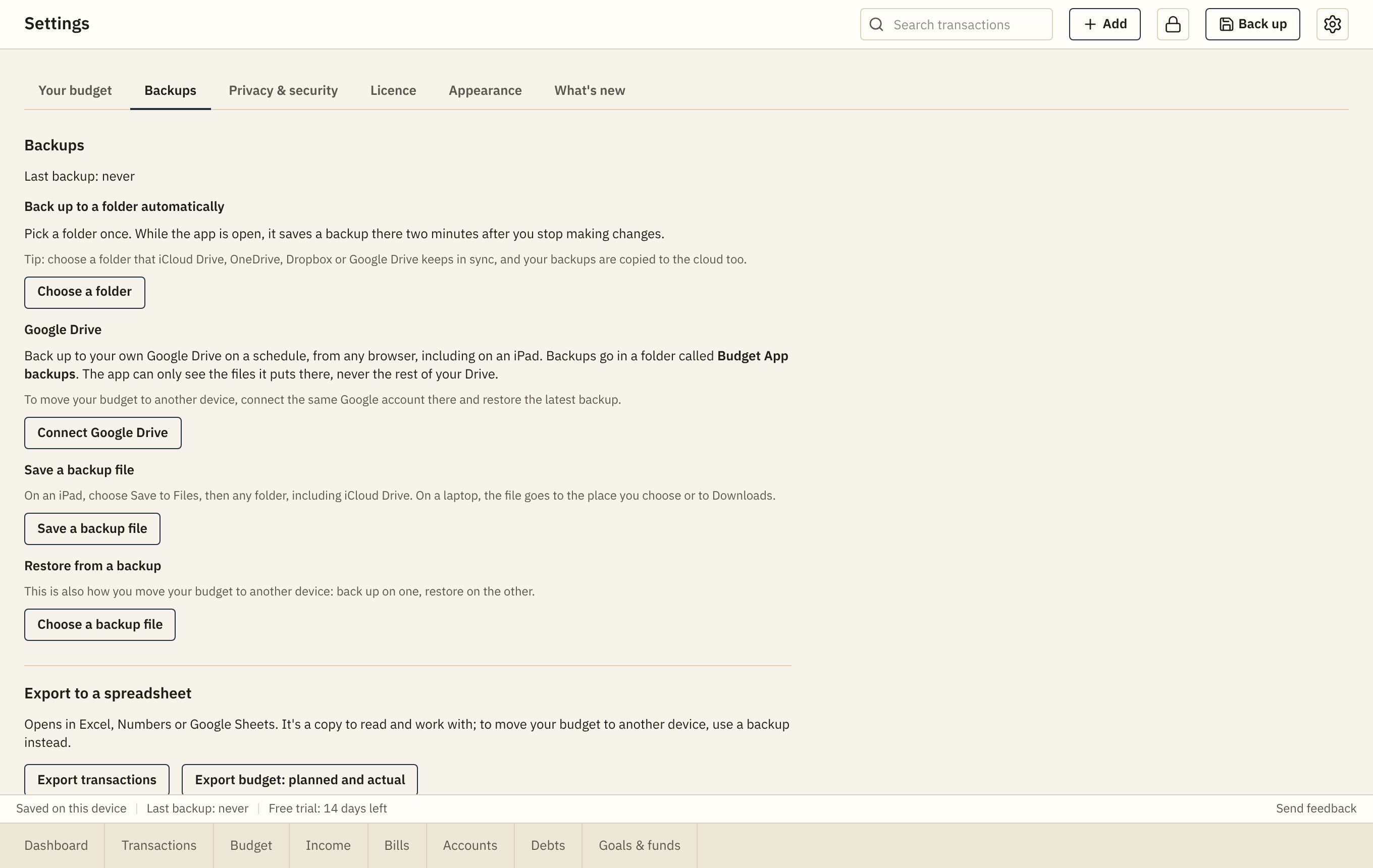
Your budget lives on your device. Back it up on a schedule to a folder or your own Google Drive, and take everything out to a spreadsheet whenever you like.
- Scheduled backups; restore on another device in a minute
- Export transactions and planned vs actual for every month as CSV
- A lock button in the top bar, with a PIN
Built to be trusted with your money
Your data stays with you
Everything is saved on your own device. No account, no tracking, no ads. We can't see your budget.
Backups your way
Back up to a file, a folder, or your own Google Drive on a schedule. Restore on another device in a minute.
Works offline
Install it on your laptop or iPad and use it anywhere, with or without the internet.
Private on a shared device
Lock the app with a PIN; it locks itself after a few minutes without use.
Six colour themes
Three light and three dark, all easy to read, switching with your device if you like.
Laptops, tablets and phones
Best on a laptop or tablet, in Chrome, Edge, Safari or Firefox. Usable on a phone too.